
All guides
Invite your staff
Give operators their own sign-in to run the live queue.
Owner and operators
The person who created the business is the Owner. An Operator can run live queues, call customers, add walk-ins, and handle bookings. Business settings, booking rules, deleting queues, and inviting staff stay with the owner.
Invite an operator
- 1Open Settings › Operators.
- 2Optionally type their email for your records, then tap Create invite link.
- 3Tap Copy link and send it to them. The link works once and expires in 7 days.
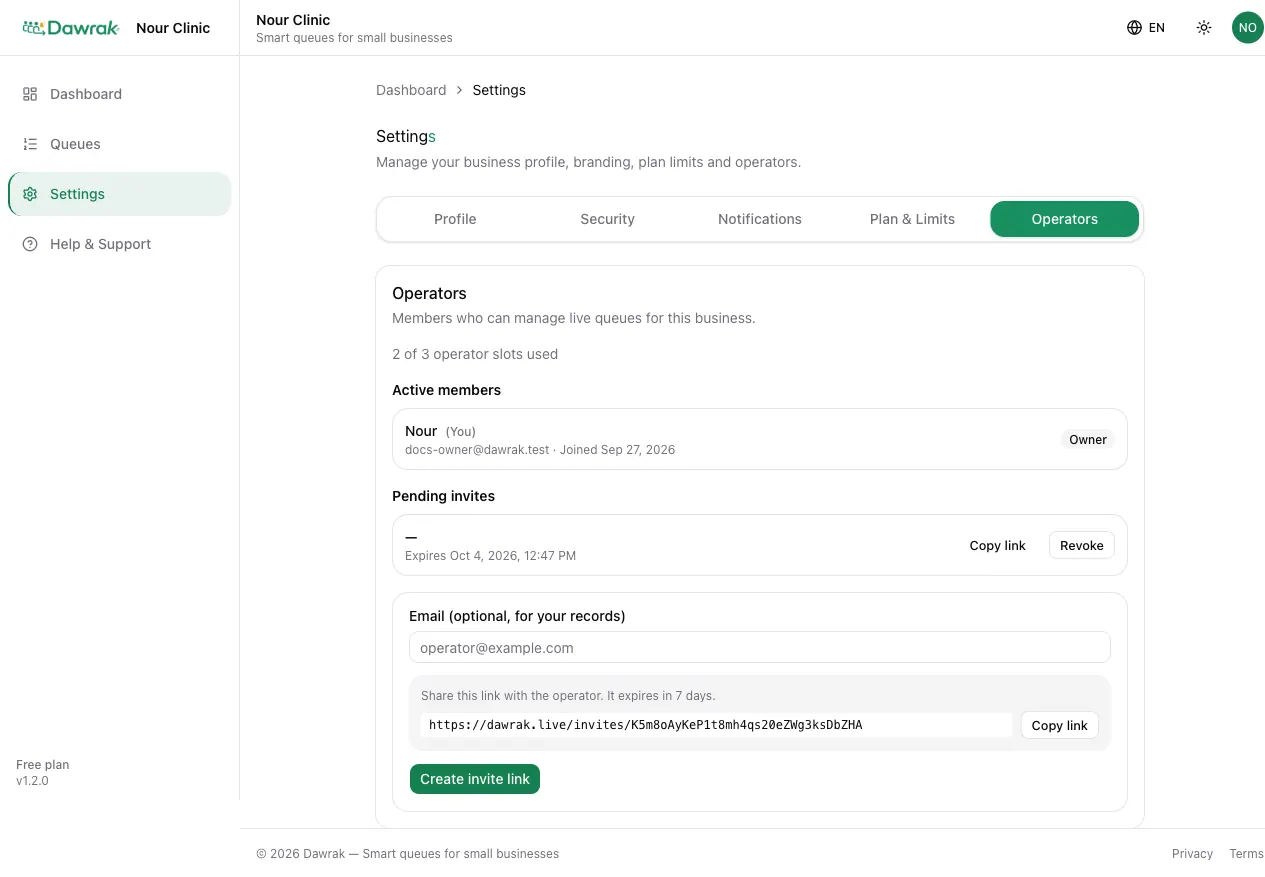
Pending invites can be cancelled with Revoke. Remove takes access away from an operator immediately.
What the operator sees
The operator opens the link and taps Sign in to accept or Create an account. After joining, the dashboard opens with your queues.

Each account belongs to one business. Someone who already owns a business needs a different email to join yours.