
All guides
Create your account and business
Sign up, set up your business profile, and find your way around the dashboard.
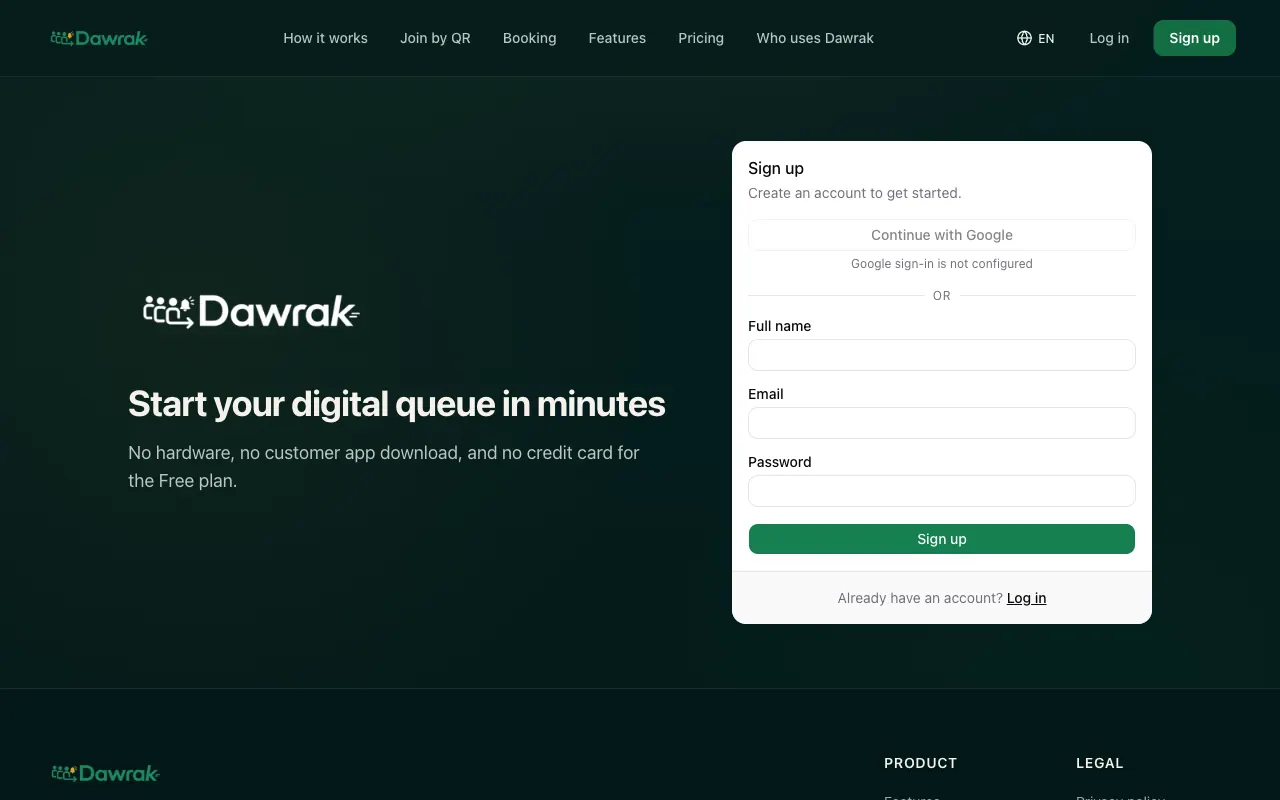
Sign up
Dawrak runs in the browser, so there is nothing to install. You can use it on a phone, tablet, or computer.
- 1Open dawrak.live and tap Sign up.
- 2Enter your name, email, and a password, or tap Continue with Google.
- 3If you signed up with email, open the verification email and tap the link. Check your junk folder if it does not arrive within a few minutes.
Set up your business
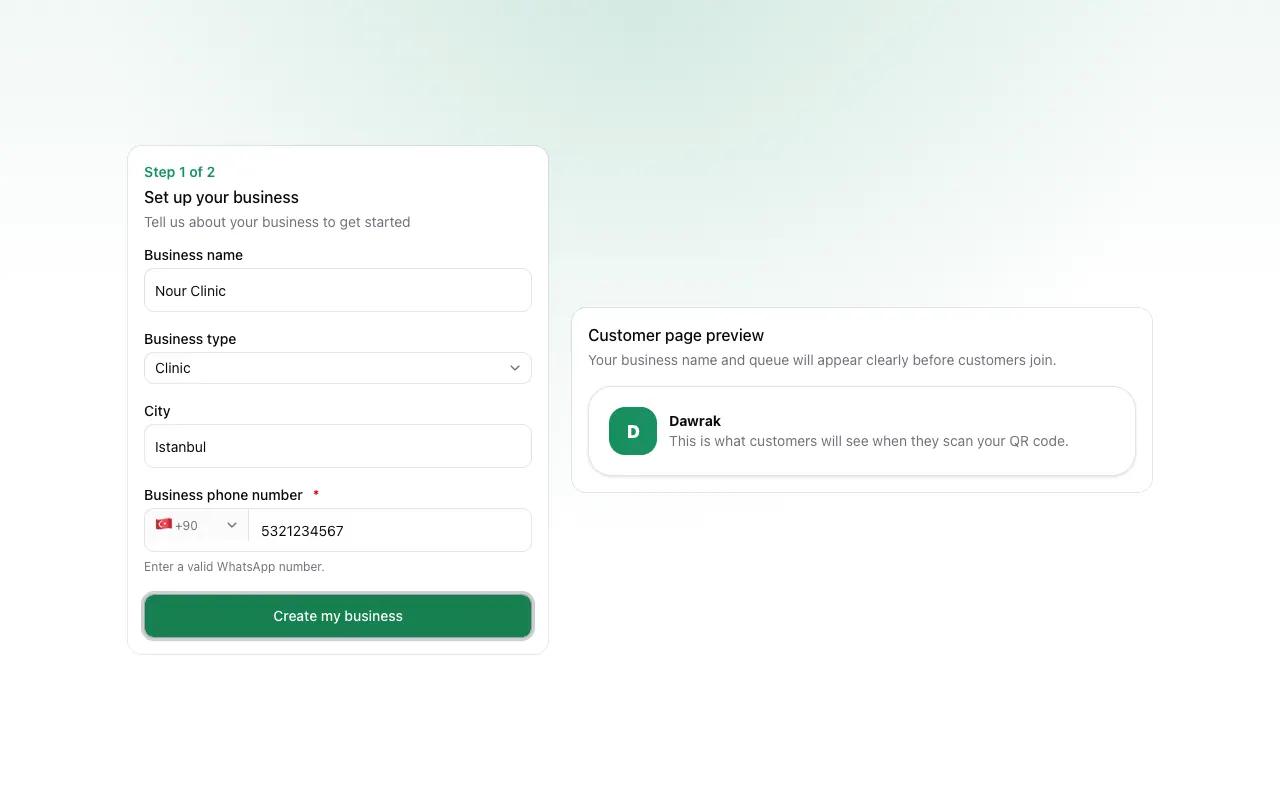
The first time you sign in, Dawrak asks for a few details about your business. Customers see the business name when they scan your QR code.
- 1Fill in Business name, Business type, and City.
- 2Choose your country code and enter Business phone number. Use a number that works on WhatsApp.
- 3Tap Create my business.
Find your way around
After setup you land on the Dashboard. It shows today's activity: how many people are waiting, joined, and served, plus no-shows and the average wait.
- Queues lists your queues and opens the live queue for each one.
- Settings holds your business profile, security rules, notifications, plan limits, and staff.
- Help & Support reaches the Dawrak team on WhatsApp or email, and replays the welcome tour.
- The globe button switches the dashboard language between Arabic, Turkish, and English.
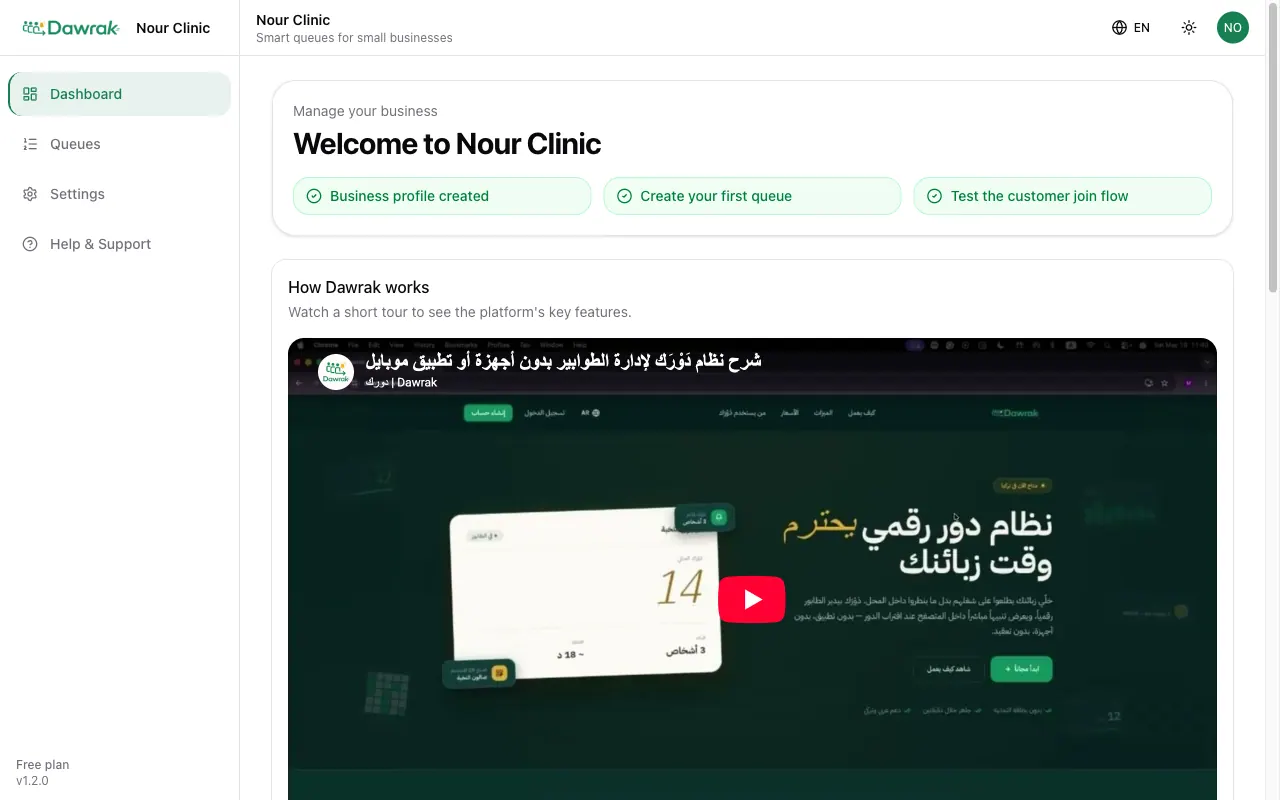
On a phone, the same sections sit in the bar at the bottom of the screen. The QR Code button there shows your join code instantly.