
All guides
Customer and staff notifications
Choose which messages customers get, and alert staff when someone needs approval.
How customers are notified
The customer's ticket page always updates live. On top of that, customers who allow it get push notifications on their phone, even with the page closed. Booking confirmations and closure notices also go by email.
Choose the messages
Open Settings › Notifications. Under Customer messages, each message can be switched on or off per channel.
- Your turn is always on.
- Almost your turn is sent once when the number of people ahead reaches the People ahead value you choose.
- Others cover approval, cancellation, no-show, thank-you, and queue paused, resumed, or closed.
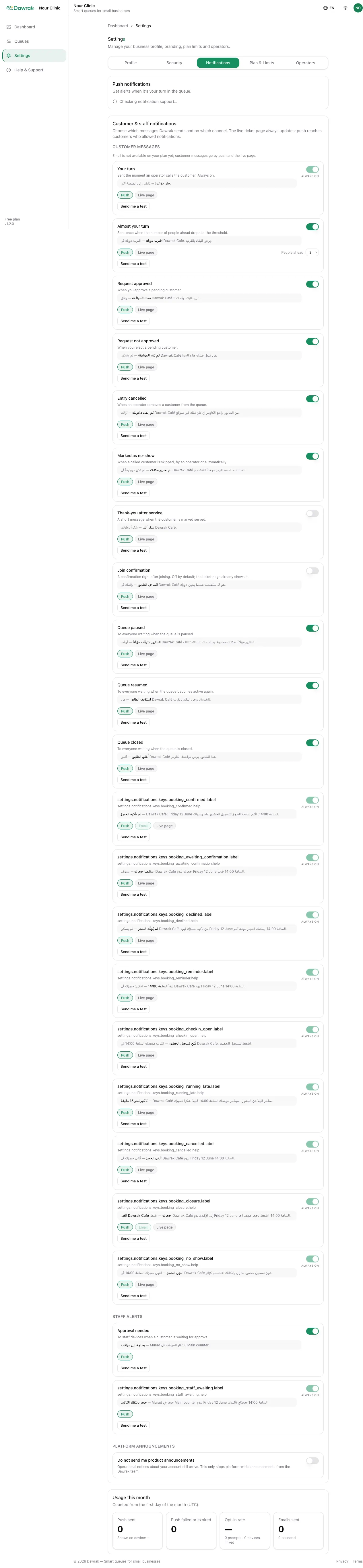
Under Staff alerts, turn on the approval alert to get a push on this device whenever someone waits for approval. Send me a test checks that this device receives notifications. Usage this month shows how many messages were sent and delivered.