All guides
Reservations for pitches and courts
Let bookings hold the whole resource while walk-in groups use the gaps.
Set up reservation mode
In the Remote booking card, choose the Sports pitch preset or set Mode to Reservations. Two extra rules apply:
- Buffer between blocks (min) leaves time to change over between groups.
- Shortest walk-in session (min) stops a walk-in group from starting when the gap is too short.
Customers see Reserve a block on the booking page and can enter their Group size.
Start and end sessions
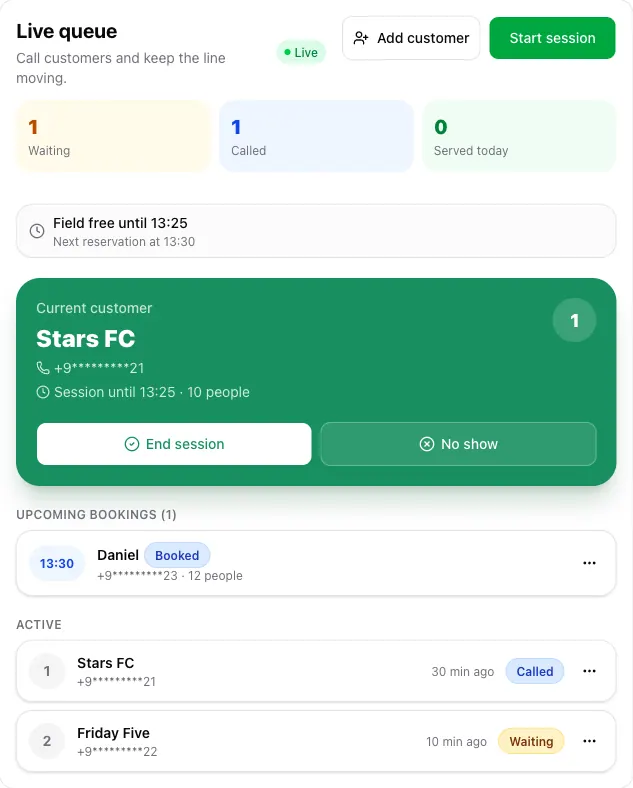
In this mode the call button reads Start session. A strip above the current customer shows how long the field is free and when the next reservation starts.
- A checked-in reservation whose time has come always starts first and runs to the end of its block, even if it starts late.
- Otherwise the next walk-in group starts a session that ends before the next reservation, including the buffer, or at closing time.
- If the gap is too short, the strip says so and Start session does not call anyone.
- End session finishes the current group early.
On the wall display
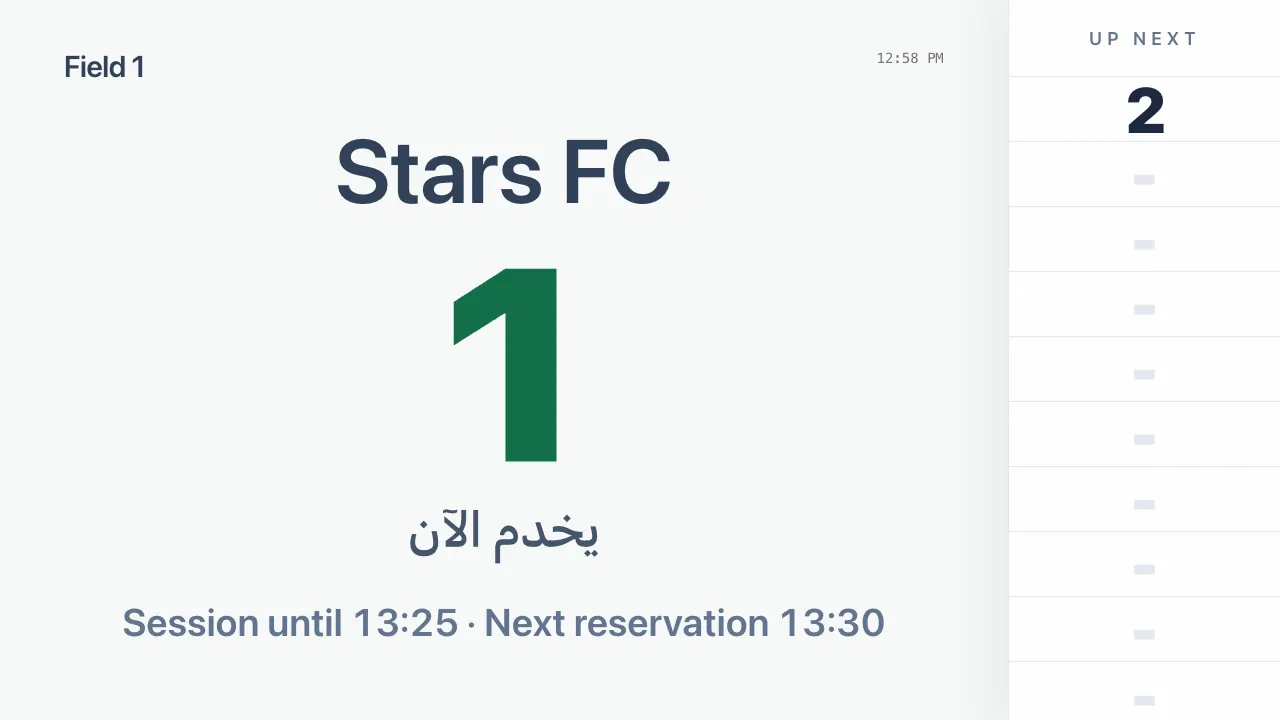
The wall display adds a line with the running session's end time, or the time the field is free until, and the next reservation.