
All guides
Control who can join
Approve people before they join, require an in-store code, and skip people who do not come.
Security options
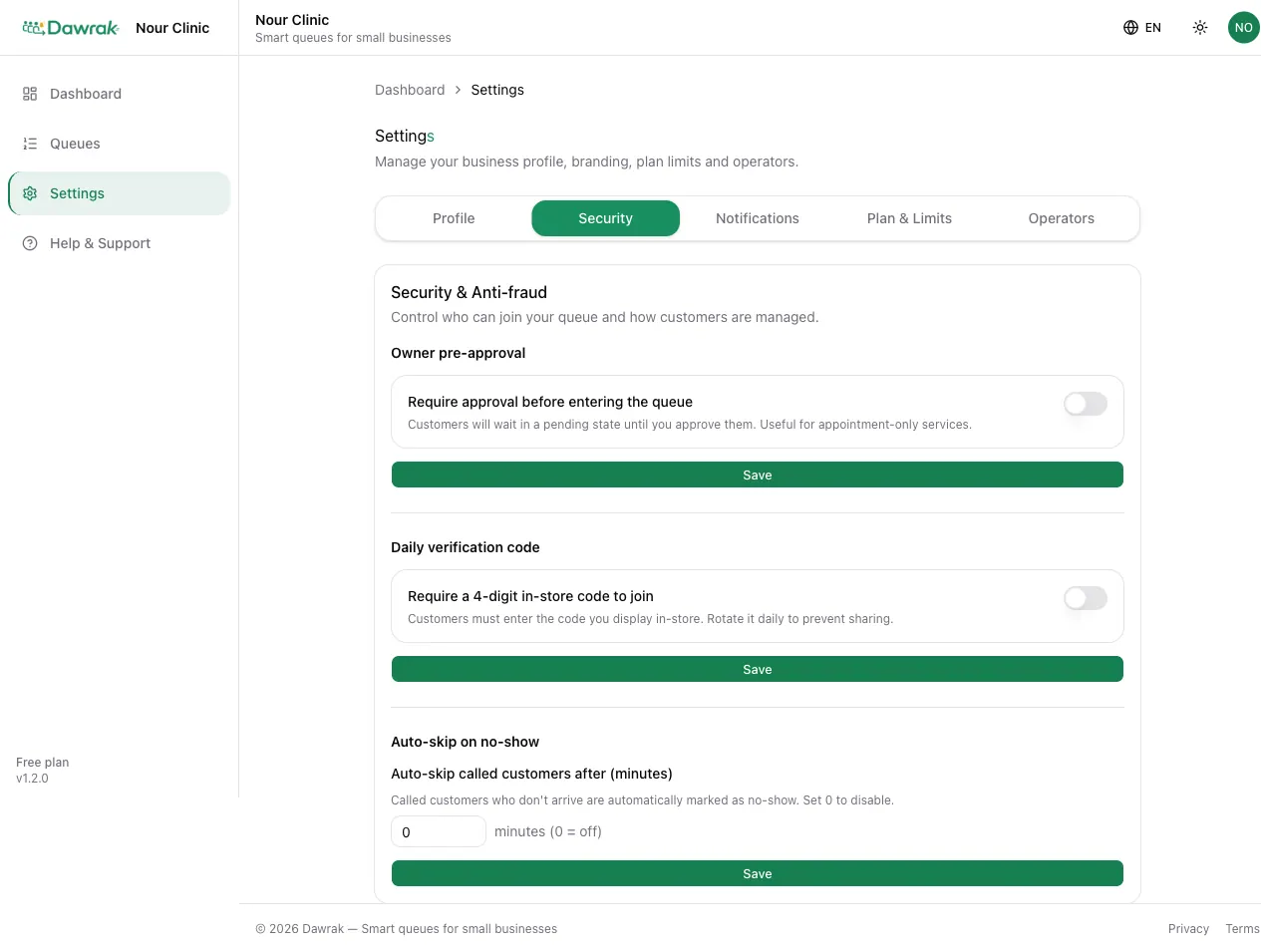
Open Settings › Security. Each option can be turned on or off at any time. Only the business owner can change them.
Owner pre-approval
Turn on Require approval before entering the queue to review each person first. They wait as pending until you approve them in the live queue.
Daily verification code
Turn on Require a 4-digit in-store code to join so only people at your location can join. Show the code at the counter with Print sign, and tap Rotate code each day so it cannot be shared.
Auto-skip absent customers
Set Auto-skip called customers after (minutes) to mark called customers as no-show when they do not arrive in time. Set 0 to turn it off.