
All guides
Handle bookings day to day
Confirm, check in, and cancel bookings, warn people when you run late, and handle no-shows.
Upcoming bookings
Today's bookings that have not checked in yet appear under Upcoming bookings in the live queue, sorted by time. Each shows a status: Booked, Needs confirmation, or Slot passed. Phone numbers are partly hidden.
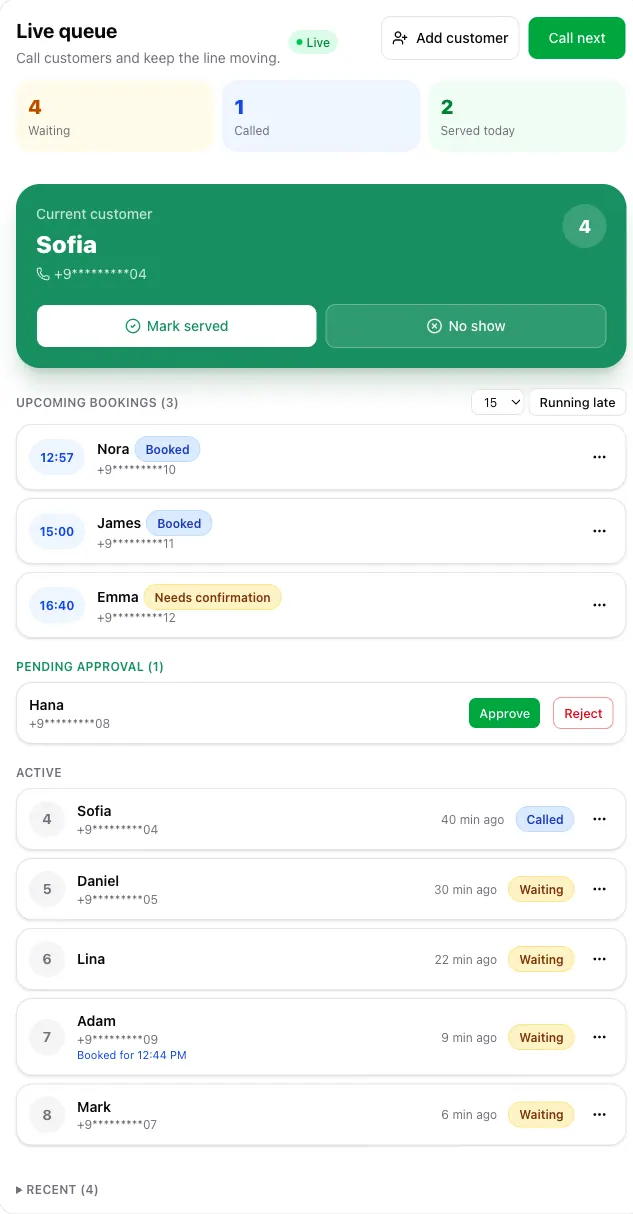
- Confirm booking or Decline answers a booking that needs your confirmation.
- Check in now puts a customer who arrived in the line, for example when their phone is off.
- Cancel booking cancels it and notifies the customer.
- Waive strikes clears a customer's missed-booking count. Only the owner sees it.
Check-in and the call order
A booking joins the line when the customer checks in. In the waiting list it carries a badge such as Booked for 14:00. Once its time comes, Call next gives it priority, but never more than your Bookings per walk-in (K) in a row before the next walk-in. Walk-in tickets say when a booked customer is ahead of them.
Running late
If you fall behind, choose the minutes next to Running late and send it. Everyone with a booking today gets a push notice.
No-shows and strikes
A booking that is not checked in by the end of the grace time expires automatically. Its customer can still join as a walk-in. With Track no-shows (strikes) on, each missed booking or late cancellation adds a strike. At your threshold, that customer's next bookings need your confirmation. Strikes never block anyone from joining as a walk-in.