All guides
Business profile and plan
Keep your details up to date, check your limits, and get help.
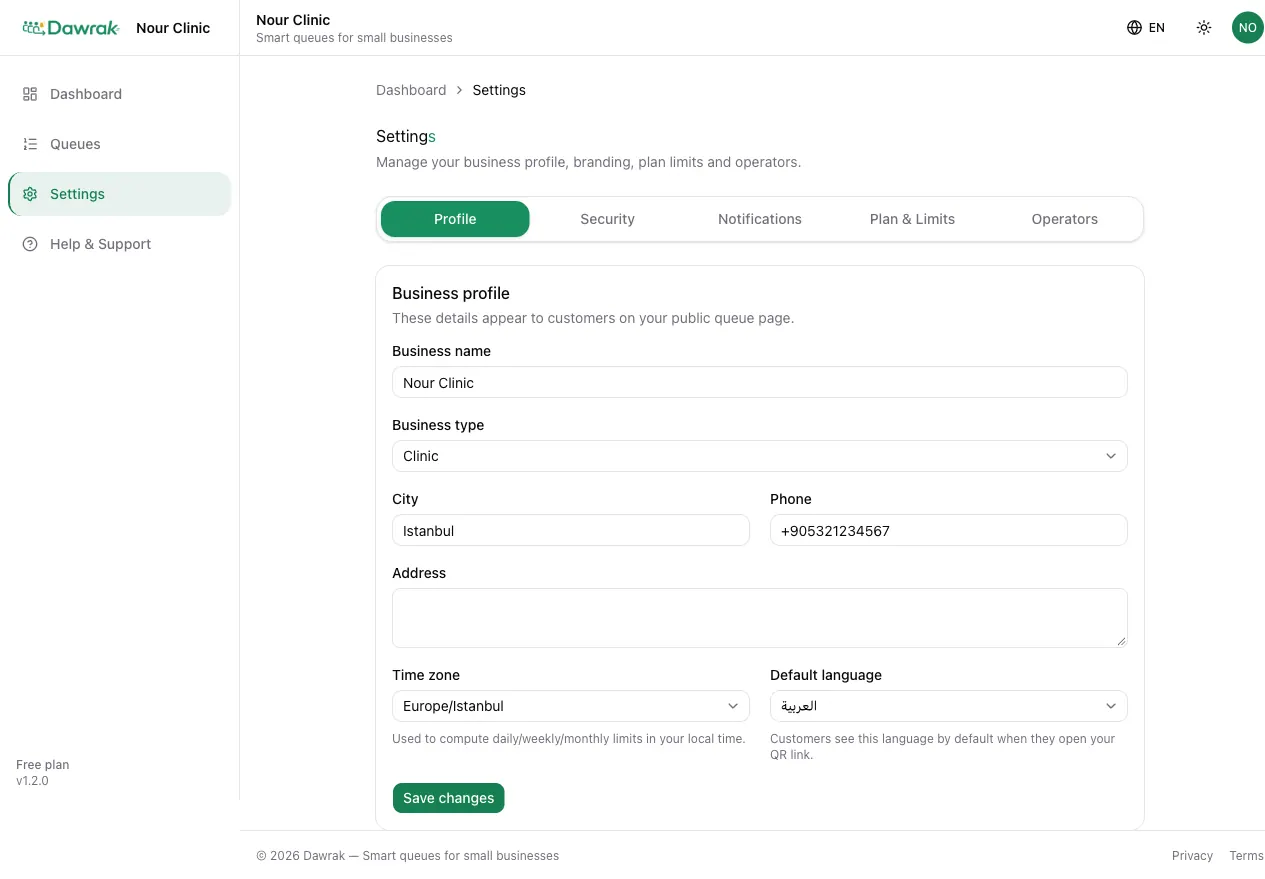
Business profile
Settings › Profile holds the details customers see: name, type, city, phone, address, and Logo URL.
- Time zone decides when your day, week, and month start for limits and bookings.
- Default language is the language customers see first when they open your QR link. They can still switch.
Plan and limits
Settings › Plan & Limits shows your current usage against the plan: queues, operators, customer joins per day, week, and month, bookings this month, and how long history is kept.
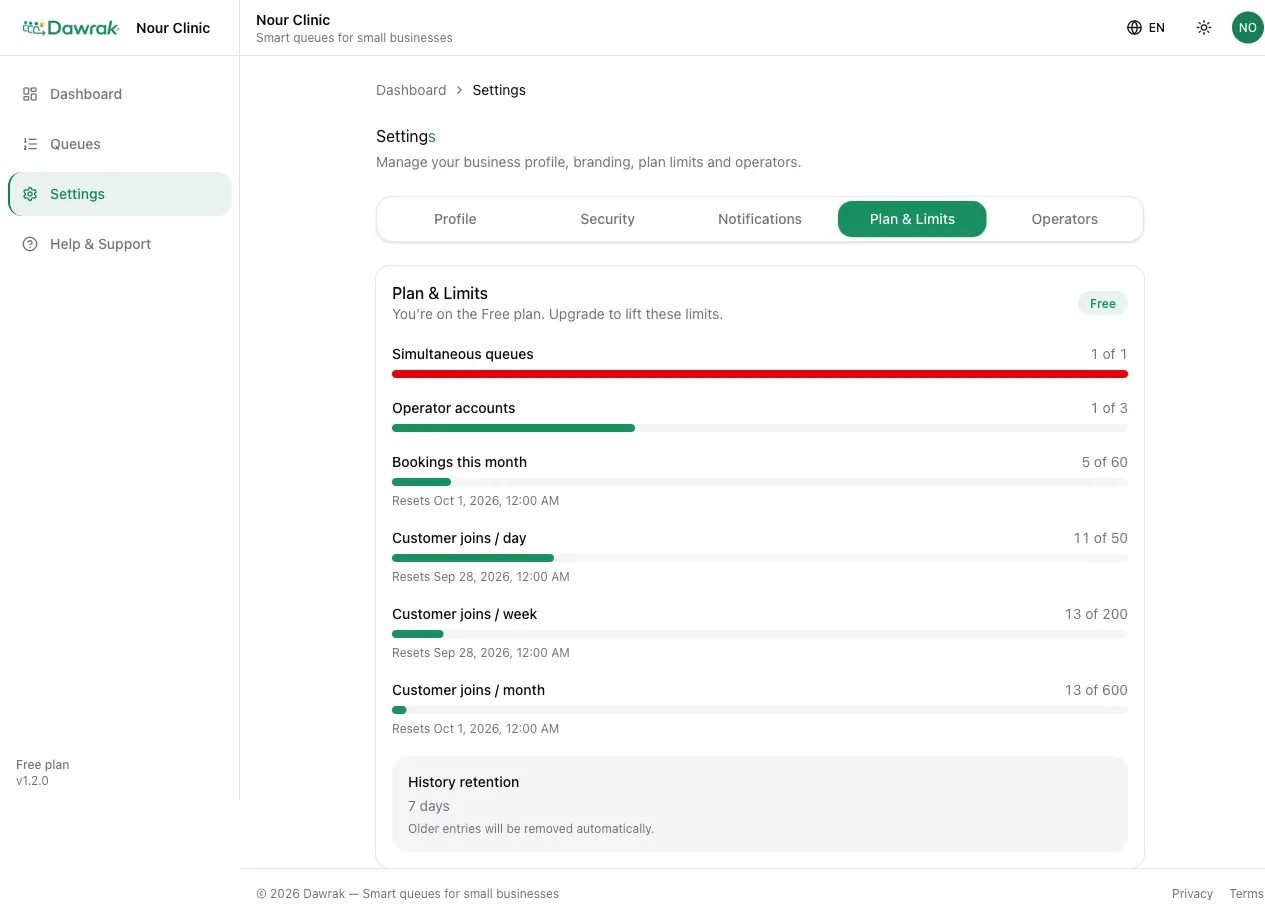
When a limit is reached, new customers see a friendly message and can try again later. Existing customers are not affected.
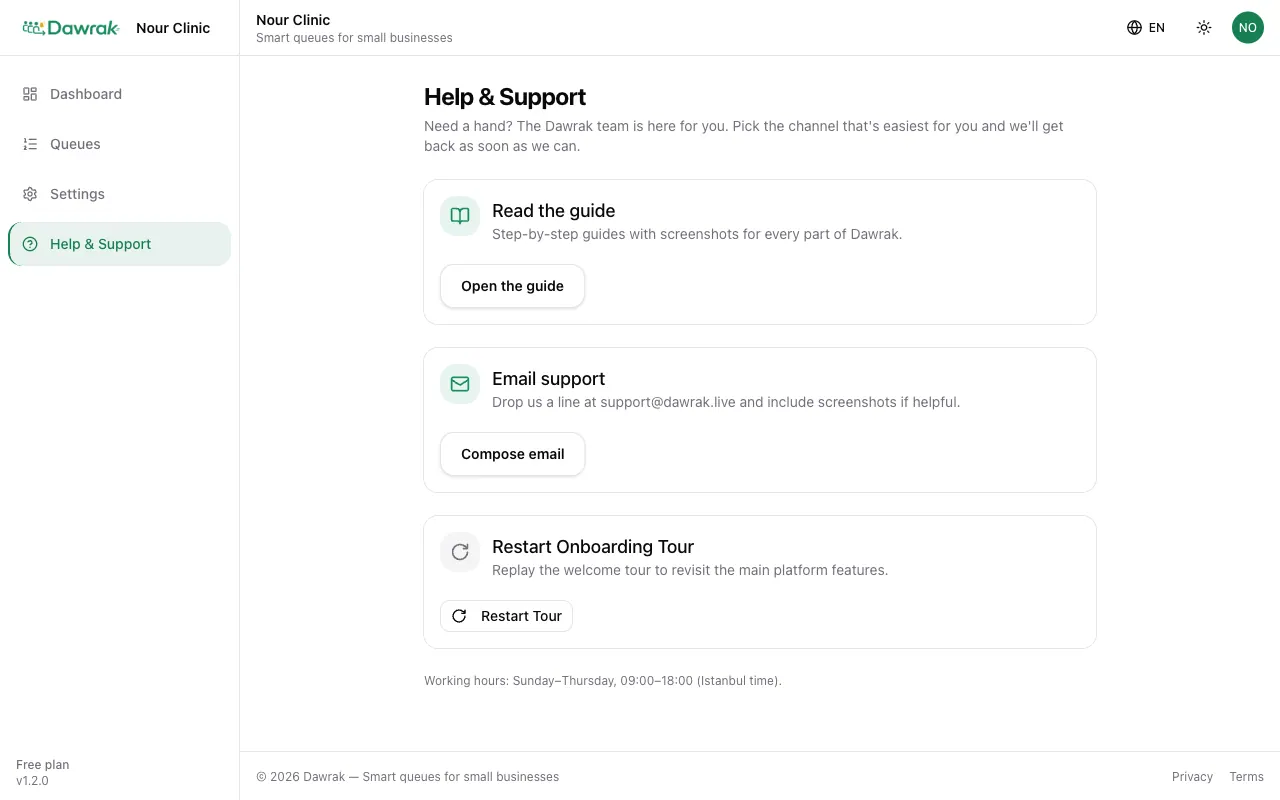
Get help
Help & Support lets you Open WhatsApp or Compose email to the Dawrak team, with your business details filled in. The owner also sees Restart Tour, which replays the welcome tour. Open the guide brings you back here.