
All guides
Your live ticket and alerts
Follow your place in line and get a notification when your turn is close.
Your live ticket
After joining you see your ticket number and People ahead of you. It updates by itself, so you can wait outside, have a coffee, or run an errand.
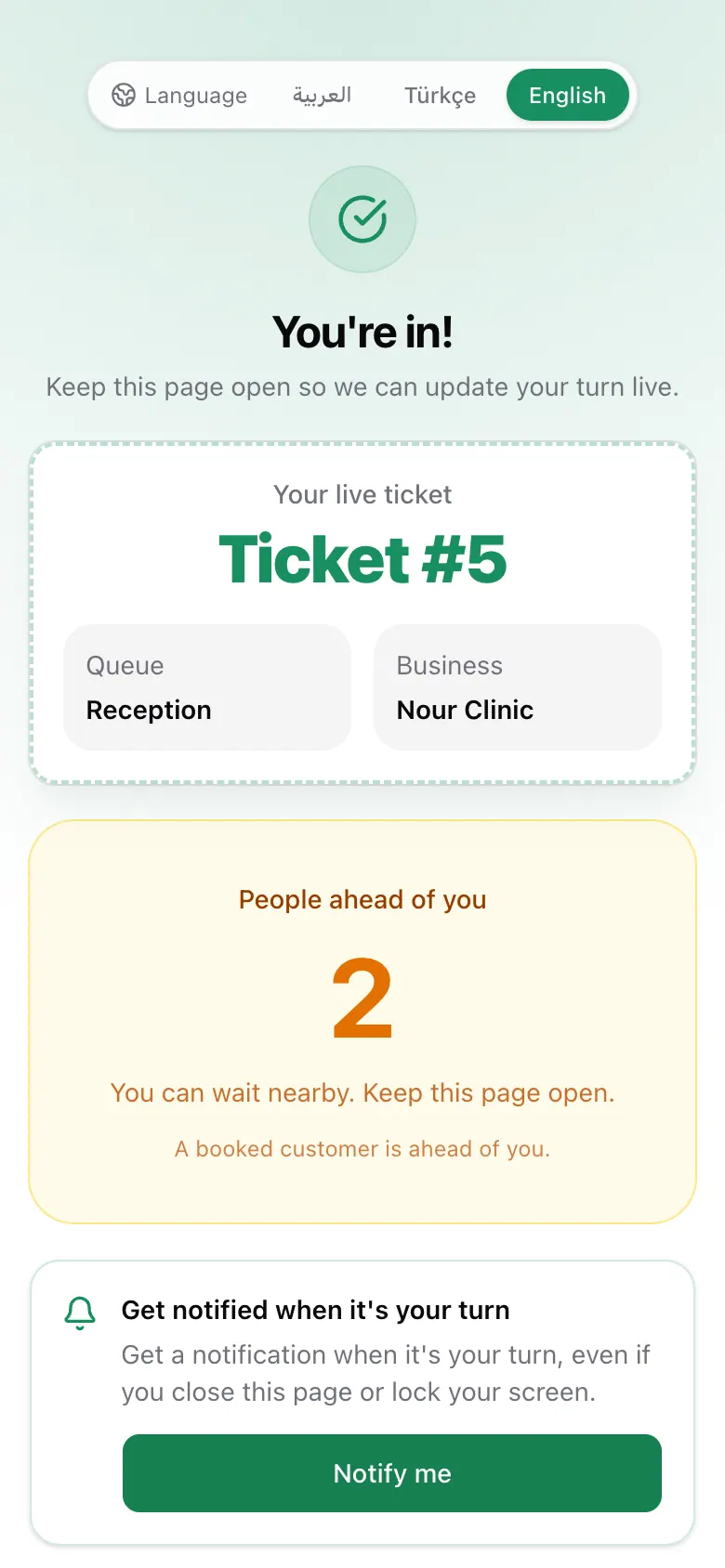
If a line says a booked customer is ahead of you, someone with an appointment has arrived and will be called first.
Get notified
Tap Notify me and allow notifications. You will get an alert when your turn is close and when it is your turn, even if you lock your phone.
On iPhone, notifications only work after adding Dawrak to the Home Screen:
- 1Tap the Share button in Safari.
- 2Choose Add to Home Screen.
- 3Open the page from the new icon and tap Notify me.
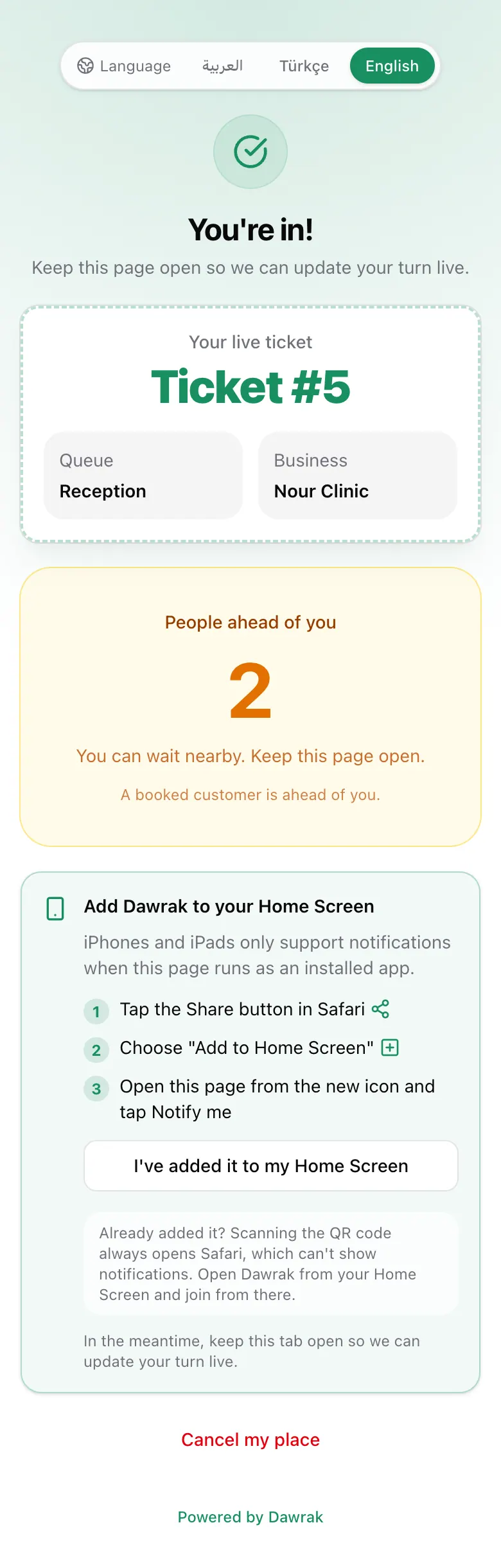
Without notifications, keep the page open. It still updates live.
When it is your turn
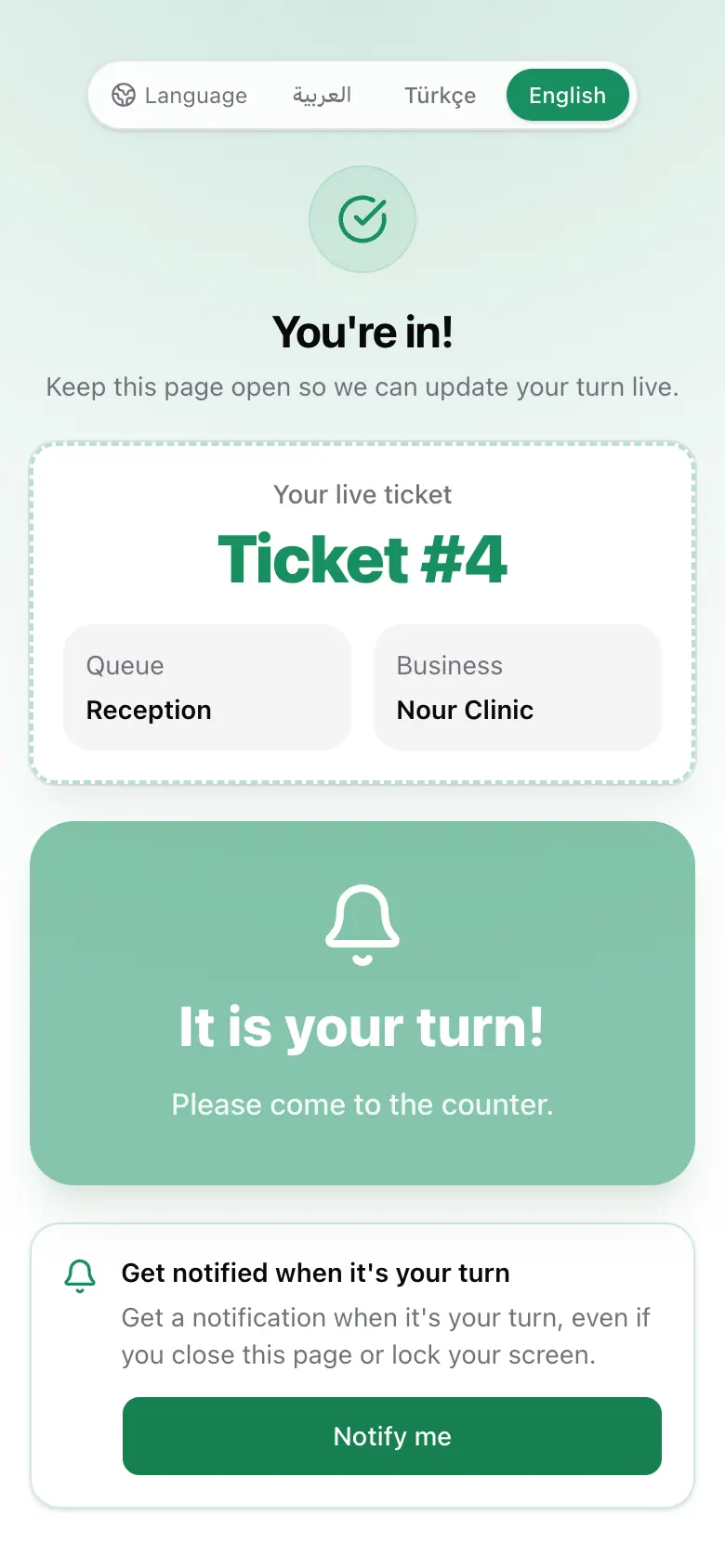
The ticket turns green and says It is your turn! Go to the counter. If you do not come, the business may release your place.
Leave the line
Changed your plans? Tap Cancel my place at the bottom of the ticket so the next person moves up. Once you have been called, ask the staff instead.